
More Wonder. Less Clutter.
Setting up getting paid
Everything you need to know about seller payouts on ToyRelay — why we use Stripe, what setup involves, and when your listings can be purchased.
Why ToyRelay uses Stripe
ToyRelay partners with Stripe, a leading payment provider, to handle seller payouts securely. Your payout and bank information is collected and stored by Stripe — not by ToyRelay — and Stripe transfers your earnings directly to your bank account.
You can list before you finish setup
You can create and publish listings anytime, even before your payout account is ready. Buyers just won't be able to purchase your items until your payout setup is complete — the Buy Now button stays hidden on your listings until then.
Once your setup is complete, your listings can be purchased right away and your earnings can be paid out through Stripe after each order completes.
What setup looks like
Stripe walks you through five short steps. Here's what each one looks like on a phone.
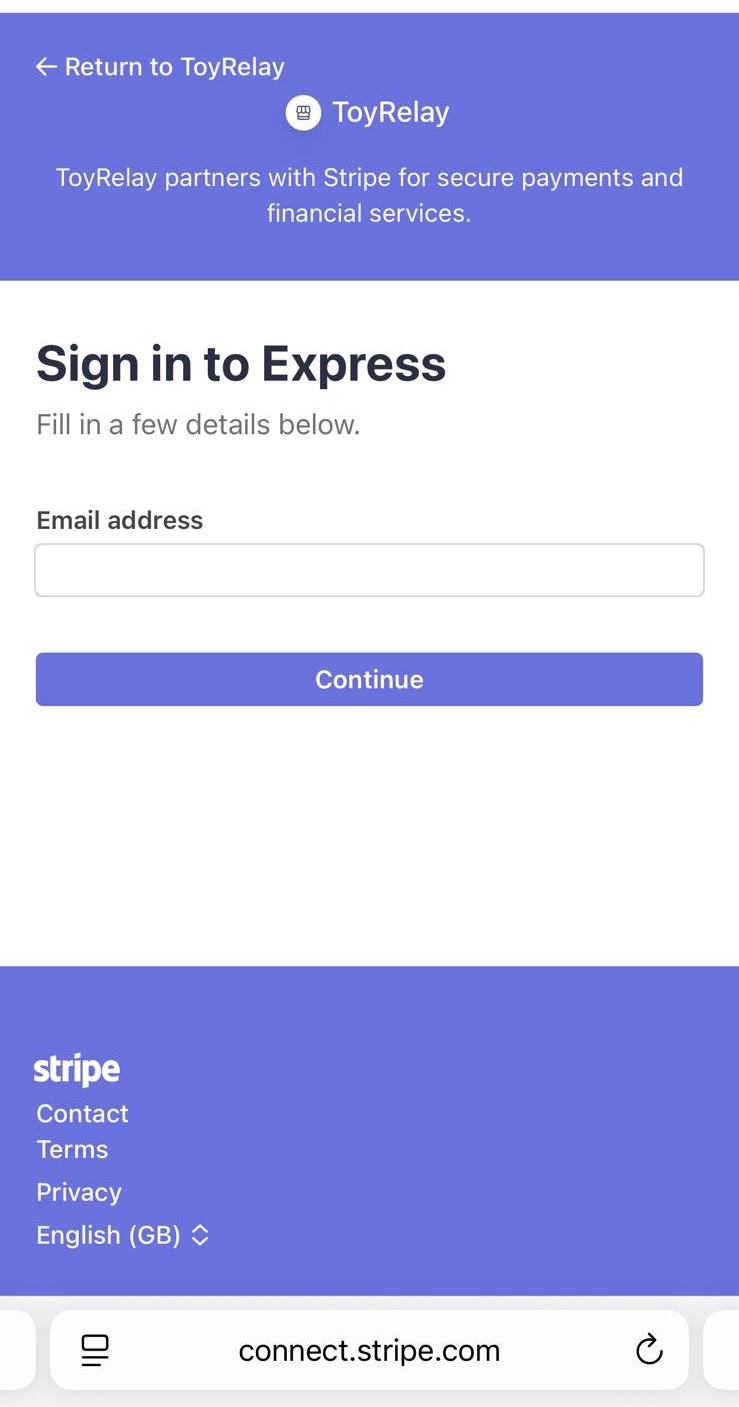
Add your email
Stripe asks for an email address to start (or sign back in to) your Express account.
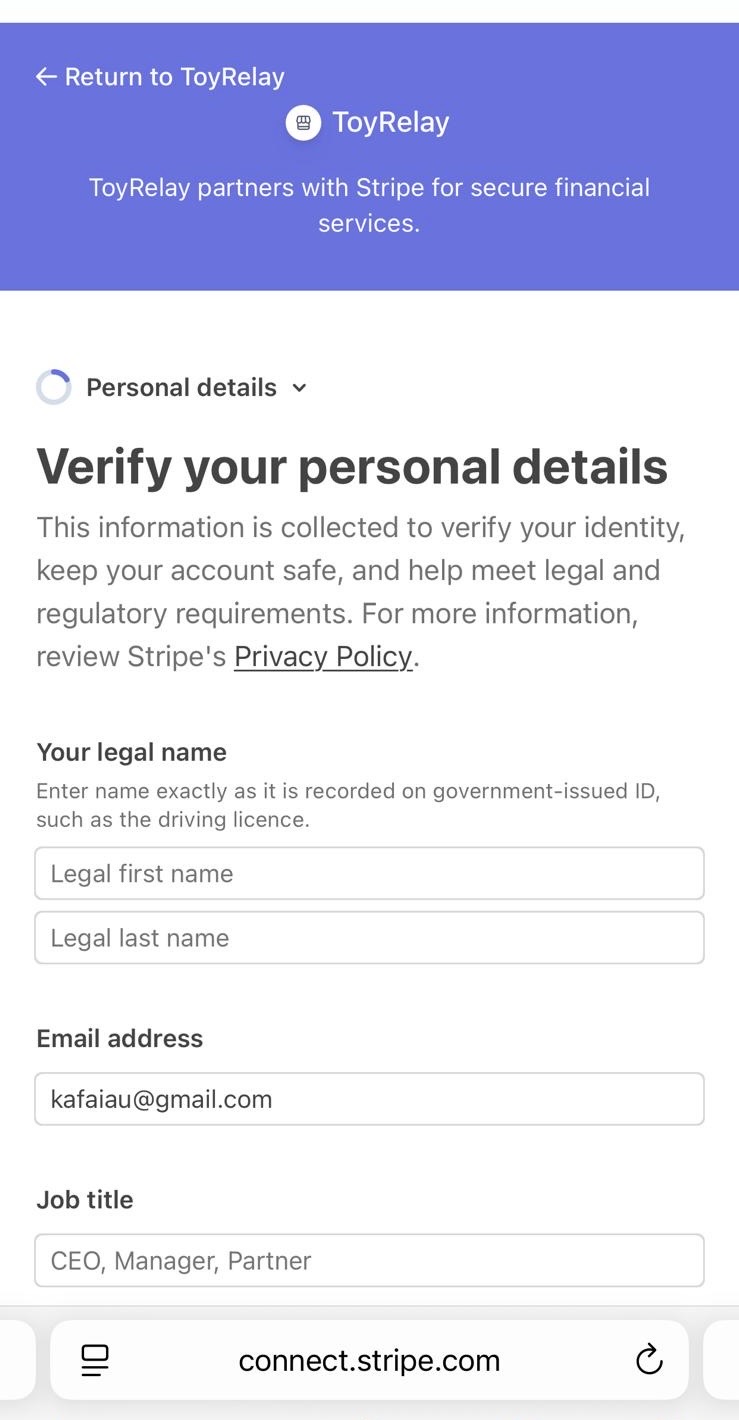
Verify your personal details
Your legal name as it appears on government ID, date of birth, home address and phone number.
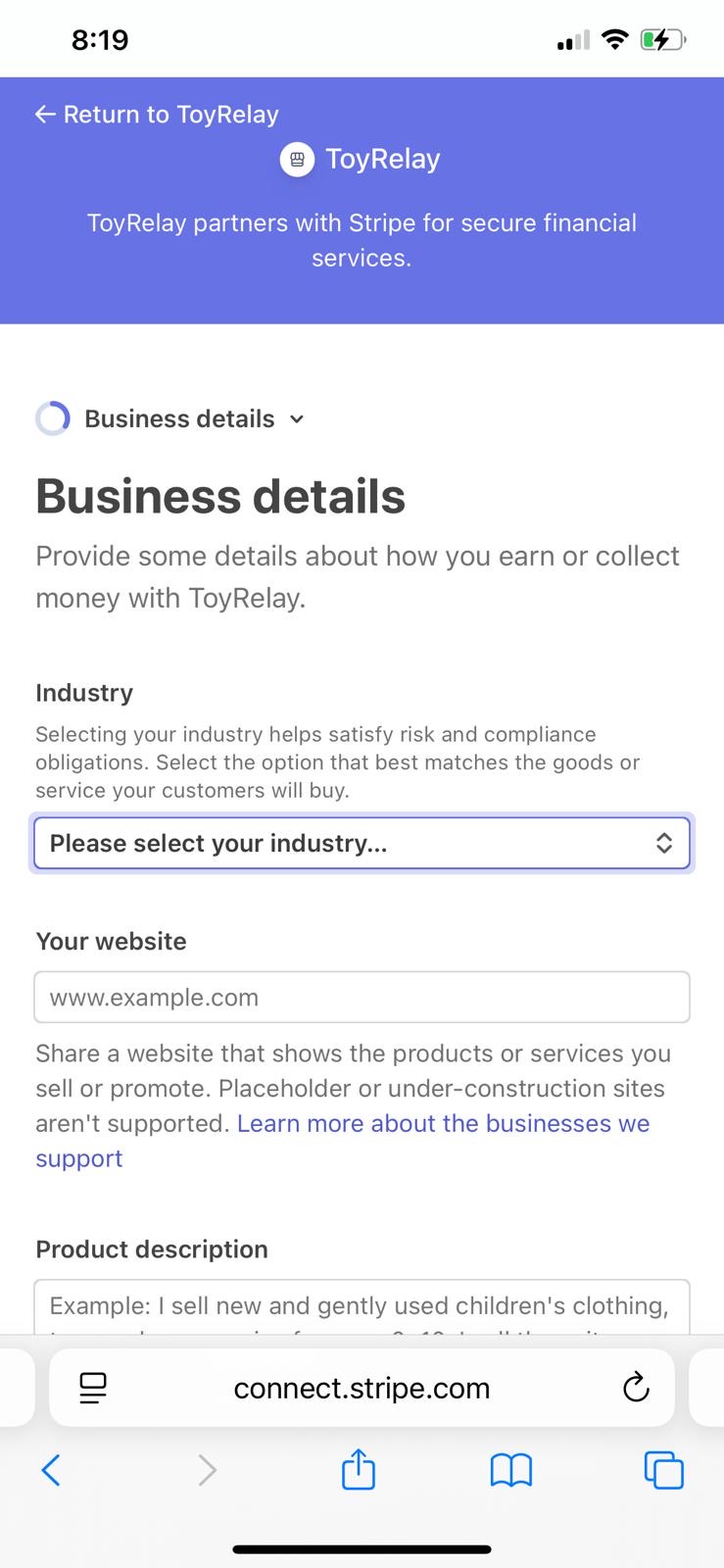
Add business details
Pick the industry that best matches what you sell, add a website, and describe your items in 2–3 sentences.
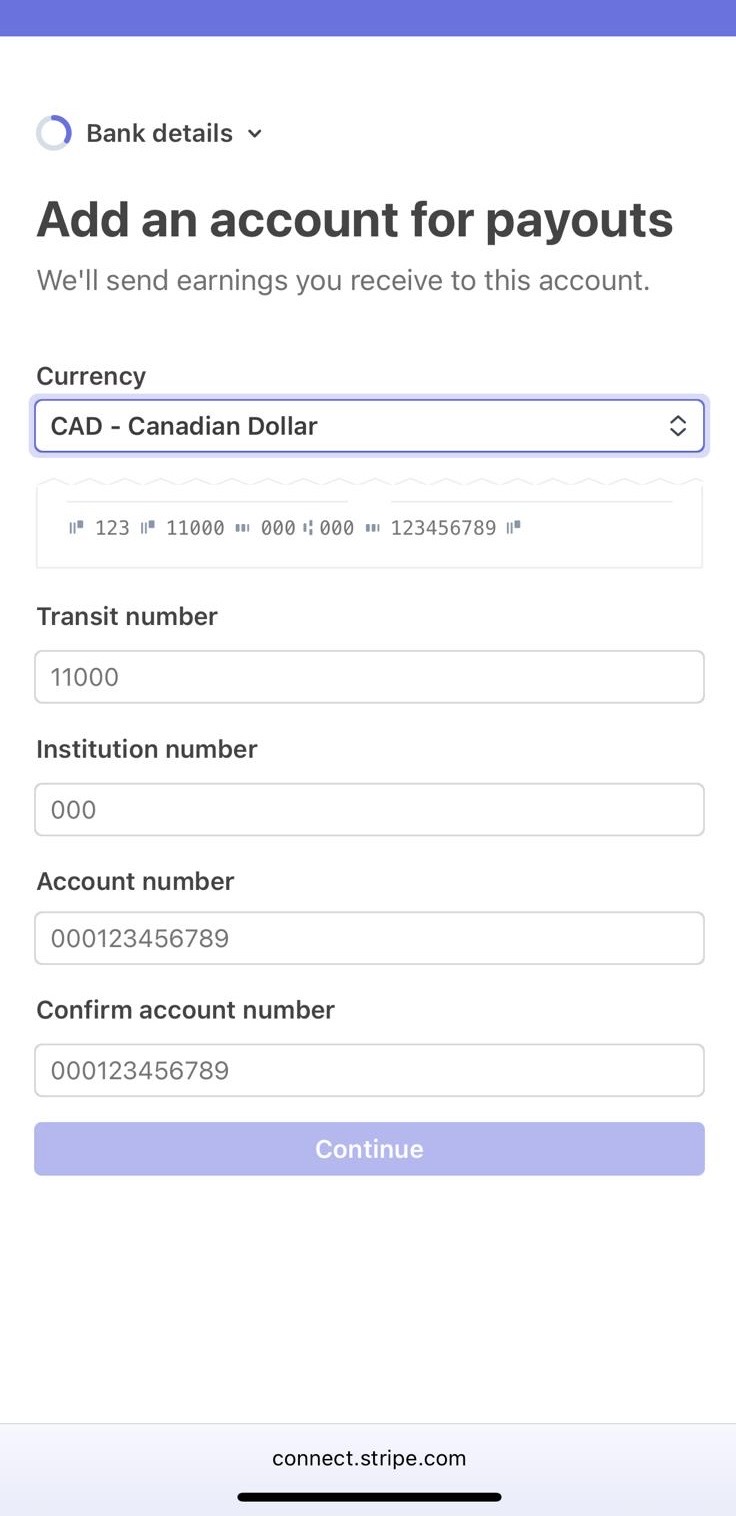
Add an account for payouts
Your Canadian bank details — transit number, institution number and account number — so earnings can reach you in CAD.
Review and submit
Check everything over and submit. Stripe usually confirms within a few minutes, occasionally up to a couple of days.
No website? You can still get set up.
On the business details step, enter your ToyRelay seller profile or one of your listing links as your website — it's a live page showing what you sell, which is exactly what Stripe is looking for. A shop-style social profile works too. The product description box matters most: a couple of clear sentences such as "I sell gently used children's toys through my ToyRelay seller profile" is plenty.
What Stripe may ask for
- Your legal name, date of birth and home address
- An email address and phone number
- A government-issued ID to verify your identity
- Your bank account details so payouts can be sent to you
Do I need a registered business?
No. Most ToyRelay sellers are individuals selling their own gently used items. Stripe may use terms like "business details" or "business type" during setup — that's standard wording for all sellers, including individuals. Simply choose the option for an individual or sole proprietor when asked.
Your information stays secure
Payout and bank details are entered directly into Stripe's secure onboarding flow and are never stored on ToyRelay's servers. You can return to Stripe at any time from Account Settings → Getting paid to update your payout details.
Ready to set up?
Setup is easy and securely handled by Stripe — it usually takes just a few minutes.
Checking your payout setup…
Still have questions? Email hello@toyrelay.com and we'll help you out.